Solitaire Fish - Offline Games2.12.1
Publisher Description
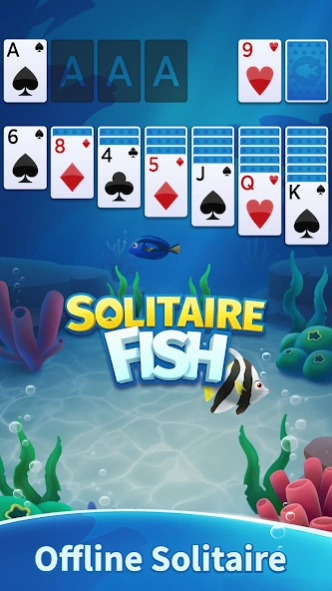
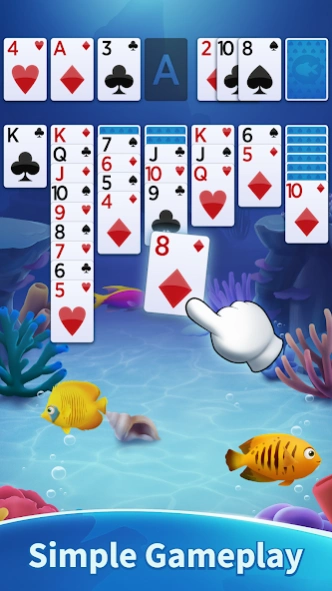


Play offline Solitaire game with fish theme. Totally fun card game.
Enjoy Offline and fun Solitaire Fish by SNG. It's free. Play anywhere you want without internet on your tablet and phone. It's classic fun Solitaire (Klondike or Patience) with fishes.
Create your aquarium by collecting cute fishes such as Rainbowfish, Clownfish, Butterflyfish and more! Play Solitaire Fish and collect new fish!
Solitaire Fish has:
♣ Classic Draw 1 Card Games Mode
♣ Classic Draw 3 Cards Games Mode
♣ Hints
♣ Auto Complete
♣ Unlimited Undo
♣ Simple UI design
♣ Smooth animations
♣ Many backgrounds
♣ Easy gameplay
♣ 1-Tap Card Movement
which are completely free. Continue your previous game whenever you want. Enjoy Solitaire Fish without any annoying advertisements. Drag the cards or tap them to automatically move them easily. If you enjoy our Free Solitaire Fish App, check out our other card games by SNG Games!
As SNG Games we always value our players’ experience above everything else! For this, if you have anything to say, please leave a comment/review on Google Play. We would be very grateful for any feedback!
Contact our Five Star support and feel free to leave your comments about SNG Solitaire
support@sngict.com
Visit us on Facebook
http://www.facebook.com/snggames
See other apps and games made by our company
http://www.sngict.com
About Solitaire Fish - Offline Games
The company that develops Solitaire Fish - Offline Games is SNG Games. The latest version released by its developer is 2.12.1.
To install Solitaire Fish - Offline Games on your Android device, just click the green Continue To App button above to start the installation process. The app is listed on our website since 2026-08-05 and was downloaded 1 times. We have already checked if the download link is safe, however for your own protection we recommend that you scan the downloaded app with your antivirus. Your antivirus may detect the Solitaire Fish - Offline Games as malware as malware if the download link to com.sng.solitaire.fish is broken.
How to install Solitaire Fish - Offline Games on your Android device:
- Click on the Continue To App button on our website. This will redirect you to Google Play.
- Once the Solitaire Fish - Offline Games is shown in the Google Play listing of your Android device, you can start its download and installation. Tap on the Install button located below the search bar and to the right of the app icon.
- A pop-up window with the permissions required by Solitaire Fish - Offline Games will be shown. Click on Accept to continue the process.
- Solitaire Fish - Offline Games will be downloaded onto your device, displaying a progress. Once the download completes, the installation will start and you'll get a notification after the installation is finished.
Program Details
System requirements
Download information
Pricing
Version History
version 2.12.1
posted on 2026-08-06
- Gameplay optimized.
- Minor bugs fixed.
- New fishes & aquariums are coming soon!
version 2.10.0
posted on 2024-06-26
- New aquariums added.
- New fishes added.
- Gameplay improved.
version 2.6.0
posted on 2023-04-18
- 15 new fishes added!
- New aquarium added!
- Loading times improved.
version 2.5.1
posted on 2022-05-14
- New fishes added!
- Gameplay improved.
version 2.4.1
posted on 2022-04-20
- Magic Shell mini game added!
- New fishes added!
- Gameplay improved.
version 2.3.0
posted on 2022-03-31
- Spin The Wheel mini game added.
- Lucky Scratch mini game added.
- Gameplay optimized.
- Minor bugs fixed.
version 2.2.0
posted on 2022-03-11
- Daily challenges added. Complete challenges and earn unique fishes!
- Daily tasks added. Complete tasks and earn gold!
- 5 new fishes added.
version 1.0.2
posted on 2021-10-08
- First release. Play Solitaire and expand your aquarium!
